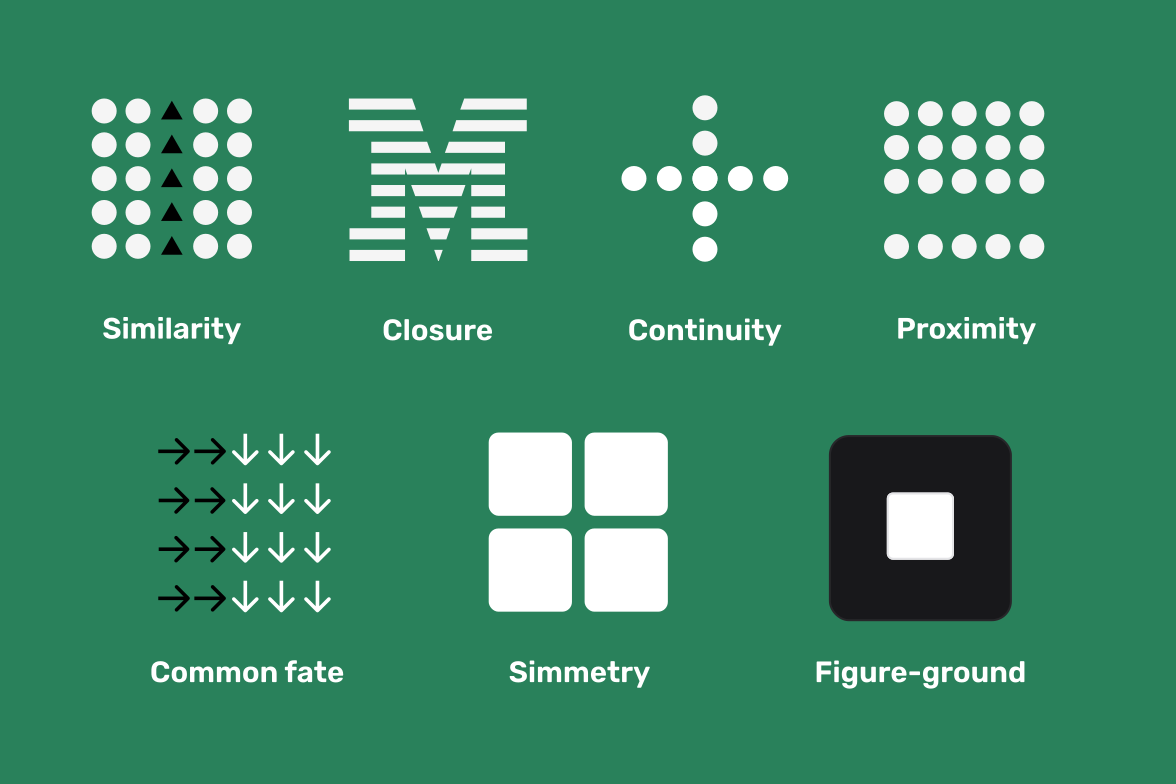
Gestalt principles help users make sense of what they see — instantly.
Origin: From German “Gestalt” meaning “whole form” — introduced in the 1920s by psychologists Wertheimer, Köhler, and Koffka.
The Gestalt principles describe how the human brain naturally organizes what it sees into patterns and meaningful groups. Learning these principles helps you design interfaces that feel structured and intuitive without extra visual noise.
- 1. Proximity: Items placed close together are seen as related. Group form fields like “First Name” and “Last Name” with tight spacing and separate sections with clear whitespace.
- 2. Similarity: Visually similar elements (same color, shape, or size) feel connected. Consistent button styles or link colors create clear functional categories.
- 3. Closure: The brain completes unfinished shapes. Minimal icons or logos work because users fill in the missing parts automatically.
- 4. Continuity: Eyes follow continuous lines and smooth curves. Align elements along grids or consistent flows so users can scan content naturally.
- 5. Figure–Ground: People separate foreground from background. Use contrast, overlays, or depth to make the main content stand out clearly.
- 6. Symmetry: Balanced elements feel stable and organized. Centered forms or mirrored layouts communicate clarity and order.
- 7. Common Fate: Objects moving together appear as one group. In motion design, syncing animations helps users understand which elements are connected.
The more intentionally you apply these laws, the more your designs will feel clear and “effortless” to use. They turn raw visuals into visual logic — making structure instantly visible to the human eye.